iOS app development for iPhone and iPad
Native iPhone and iPad apps in Swift and SwiftUI, with the accounts, APIs and purchases behind them. We prepare the App Store submission and keep the app current after launch.
One fictional app, from first sketch to the App Store and its first update.
TestFlight: 5 testers, build 12
Today's report
Site: Str. Fabricii 12
8 °C, cloudy
Formwork on level 2 finished. Concrete delivery moved to Thursday.
Send report
2 drafts saved offline, sending now
Waiting for review
Ready for distribution, 1.0
Apple decides
- Scope
- Build
- TestFlight
- App Review
- Released
- Update
Site Log
- Scope One task: a daily site report with a photo, a note and the weather.
- Build SwiftUI screens, offline drafts, camera access with a clear reason.
- TestFlight Build 12 goes to five site managers. Their feedback shapes the next build.
- App Review Privacy details and review notes submitted. Approval is Apple's decision.
- Released Version 1.0 is on the App Store, under your company's account.
- Update Version 1.1 sends drafts saved offline as soon as the phone is back online.
What changes
TodayA web page squeezed onto a phone.
With AL+A native app, with the camera and offline use where they matter.
TodayApp Store review stalls the launch.
With AL+Builds, privacy details and review notes prepared by a team with its own apps on the App Store.
TodayThe app ages with every iOS release.
With AL+Updates for each new iOS version, under maintenance.
What iOS app development includes
The app
Swift and SwiftUI, accessibility, local data and clear behaviour offline.
The backend
Accounts, APIs and in-app purchases, in your accounts.
Release and updates
TestFlight, App Store review, crash investigation and new iOS versions.
From design to App Store
First release
Users, screens and the one action the app must get right.
Weekly TestFlight builds
Installed and used on your own phone.
Review and release
We prepare everything; approval remains Apple's decision.
Keep it current
Fixes and updates for new iOS versions, if you want us to stay.
iOS apps built by AL+
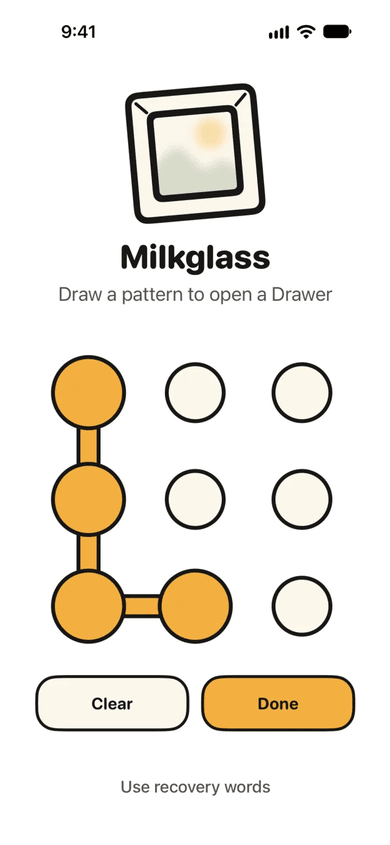
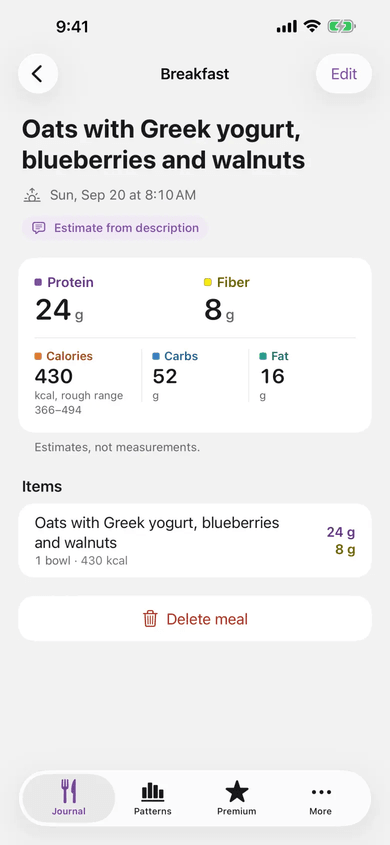
Milkglass encrypts private photos on the device and opens without an account or a connection. Food & Fit turns a sentence or a photo into a meal estimate the user can correct. Both are ours, on the App Store.
Who this is for
A good fit
The phone matters: the camera, offline work, daily use on the move.
Look elsewhere if
You need Android or a system used mainly at a desk. We discuss those requirements before choosing an approach.
Questions
Can you guarantee App Store approval?
No. Approval is Apple's decision. We prepare the build, privacy details and review notes, and handle feedback until the app is accepted or the scope must change.
Whose developer account is used?
Yours. The app is published under your company's Apple developer account, and the code is in a repository you own.
Do you build Android apps?
Our mobile work is native iPhone and iPad. If you need Android too, we say so before the scope is fixed.
Further reading
Mobile app development cost: planning a native iOS release
Understand the work behind an iOS app estimate: user journeys, device features, backend integrations, App Store release, and ongoing maintenance.
Web app vs mobile app: choose the first platform
Decide whether your first product needs a web app or a native mobile app. Compare user journeys, device needs, offline work, release scope, and ownership.
Maintenance is product work
Most of a product's life happens after launch. Treating maintenance as a cost to minimize is how software quietly degrades and how the best improvements never get made.
Discuss your app
Tell us who will use it and what they need to do. We work with you to define the first release.
Or copy the address: paul@alplustech.com